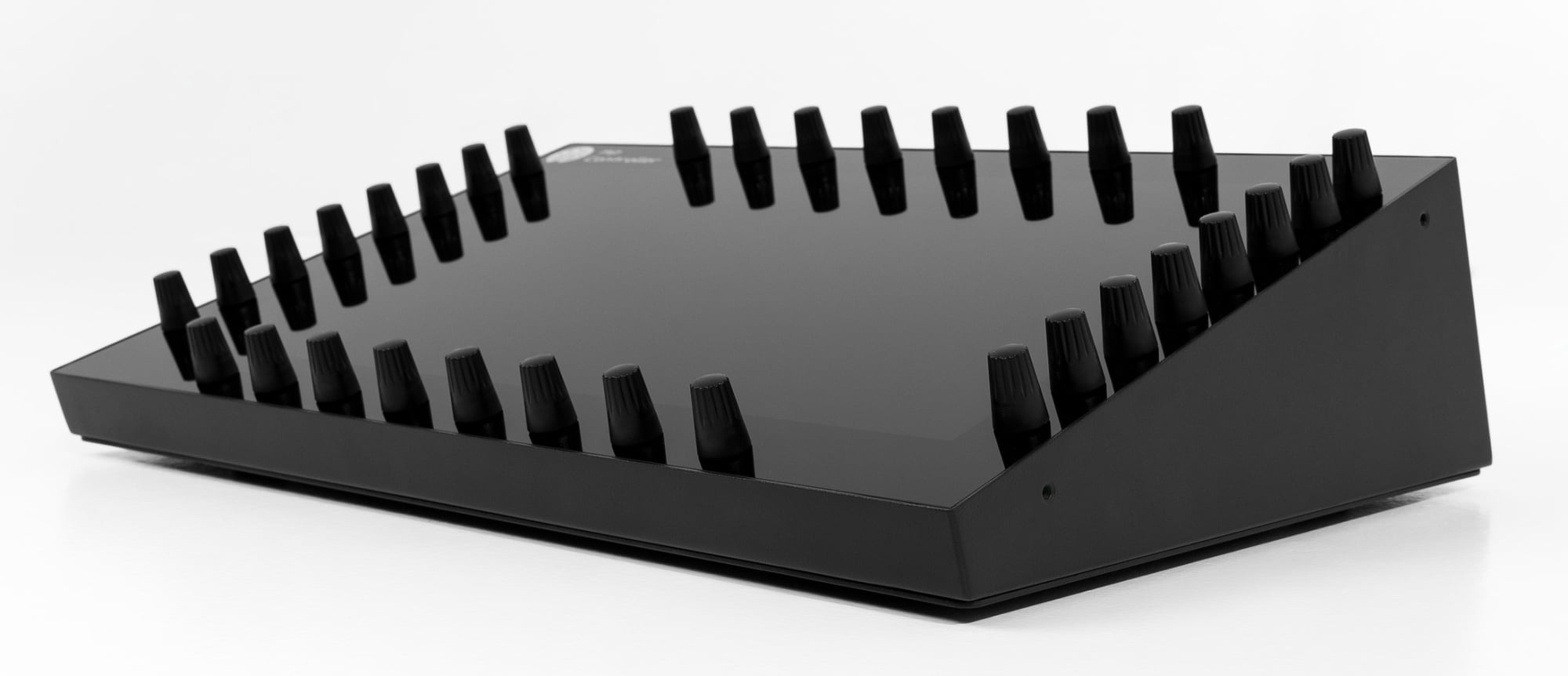
If you produce on Pro Tools, the real bottleneck is not a shortage of faders. It is reaching into your plugins by mouse, one parameter at a time. The MP Controller fixes exactly that. It is the most advanced plugin control surface for Pro Tools: it brings your VST3, AU and VST2 plugins under your fingers on a 15.6-inch multi-touch display with 32 high-quality endless digital encoders, with automatic parameter mapping and no manual MIDI assignment. On top of plugin control it gives you a fully programmable MIDI CC controller and a hands-on mixing and gain-staging utility through the MP Gain Utility. One device, three jobs, built for the way producers actually work inside Pro Tools.
Three jobs, one device
1. Plugin controller
Host and control your VST3, AU and VST2 plugins inside Pro Tools. Automatic mapping, the plugin on your touchscreen, 32 encoders.
2. Gain staging & mixing
The MP Gain Utility puts plus and minus gain on up to 128 tracks under your hands, for mixing and gain staging with no setup.
3. Flexible MIDI controller
1024 assignable encoders and buttons, CC and NRPN, notes, XY pad, the Joker encoder and keyboard macros to any app.
The most advanced plugin control surface for Pro Tools
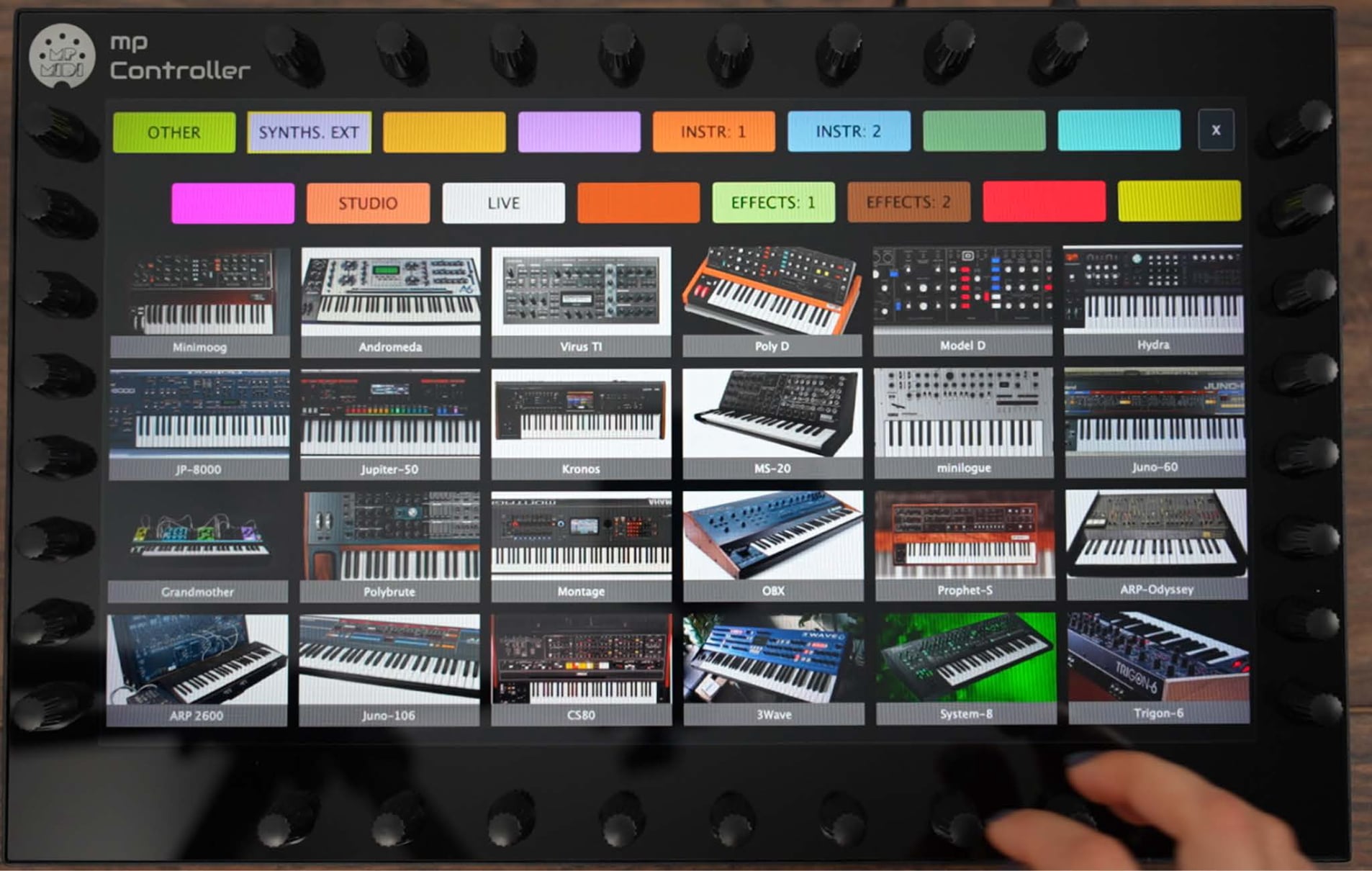
The MP Controller is a plugin controller for Pro Tools: you load the MP Host plugin in its AAX format on a track, host your VST3, AU or VST2 plugins inside it, and the controller auto-maps every parameter across 32 encoders and a 15.6-inch touchscreen, so you control your plugins by hand instead of by mouse.
Pro Tools loads AAX plugins only, which is exactly why this matters. The MP Host plugin runs in AAX, so it slots straight into a Pro Tools insert, and it brings your entire VST3, AU and VST2 collection, and full hands-on control of it, into a DAW that natively runs only AAX. The moment a plugin loads, it appears on the controller automatically. No mapping pages to build, no MIDI Learn, no spreadsheets.
Why it is the best plugin controller for Pro Tools
This is where the MP Controller pulls away from every fader surface and MIDI keyboard on the market. Those control the mixer or play notes. The MP Controller is engineered around one thing: controlling your plugins, deeply and instantly.
- The plugin appears automatically. Load any plugin and all of its parameters are linked at once, organised into logical, color-coded groups, up to 512 parameters per plugin instance. No manual MIDI mapping.
- You see the plugin, on the controller. The 15.6-inch multi-touch display renders the plugin itself, so your eyes stay on the encoders and touchscreen, not on your monitor and mouse.
- 32 high-quality endless digital encoders, plus touch, large on-screen faders and an XY pad. Reach far more parameters at once than the 8 knobs of a typical control surface, and ride up to 6 parameters together on the XY pad.
- Find any parameter instantly. Search a plugin's parameters by name and jump straight to the control you want.
- Instant plugin switching. Move between plugins and tracks in milliseconds, with one touch back to your previous plugin.
- Total recall and perfect, bidirectional sync. Move a control on screen and the encoder follows; move the encoder and the plugin follows. Dynamic Parameter Sync keeps everything aligned.
- Build whole chains. Host multiple instruments and effects together and control the entire chain from one surface.
- From aggressive performance to microscopic precision. Per-encoder resolution, sensitivity and range, so a sweep can be broad or surgical.
- Instant automatic mapping, the moment the plugin loads. No waiting, no AI, no gimmicks. The controller reads a plugin's parameters instantly, lays them across the 32 encoders the way the original designer organised the UI, and groups and color-codes them by section. No setup, no configuration, no cloud, for any VST2, VST3 or AU plugin.
- Near-zero CPU and a perpetual license. The controller does not process audio, and you buy it once with lifetime updates, no subscription. The full story is on the feature overview.
Put next to the controllers most Pro Tools producers already know, the difference is not subtle:
| Controller | Plugin parameter mapping | Shows the plugin? | Controls at once | VST3 / AU in Pro Tools |
|---|---|---|---|---|
| MCU / HUI surface | Fixed 8-knob banks, generic | No | 8 encoders | No, AAX inserts only |
| MIDI keyboard | Manual CC to a few knobs | No | A handful of knobs | No |
| MP MIDI Controller (Model 2A) | Automatic, up to 512 parameters per plugin | Yes, on the 15.6-inch touchscreen | 32 encoders, touch, XY pad | Yes, hosted via MP Host in AAX |
MP Controller Model 2A for Pro Tools
Price: EUR 780 including worldwide express shipping, perpetual lifetime license, no subscription. Order at mpmidi.com/shop.
The same controller carries plugin control surfaces for Logic Pro, Cubase, Nuendo, Ableton Live, Bitwig, Reaper and Reason too, so the investment travels with you across DAWs. In Pro Tools, the plugin-control workflow is identical to the one you would use anywhere else: load MP Host, host your plugin, control it.
Gain staging and mixing, on the controller
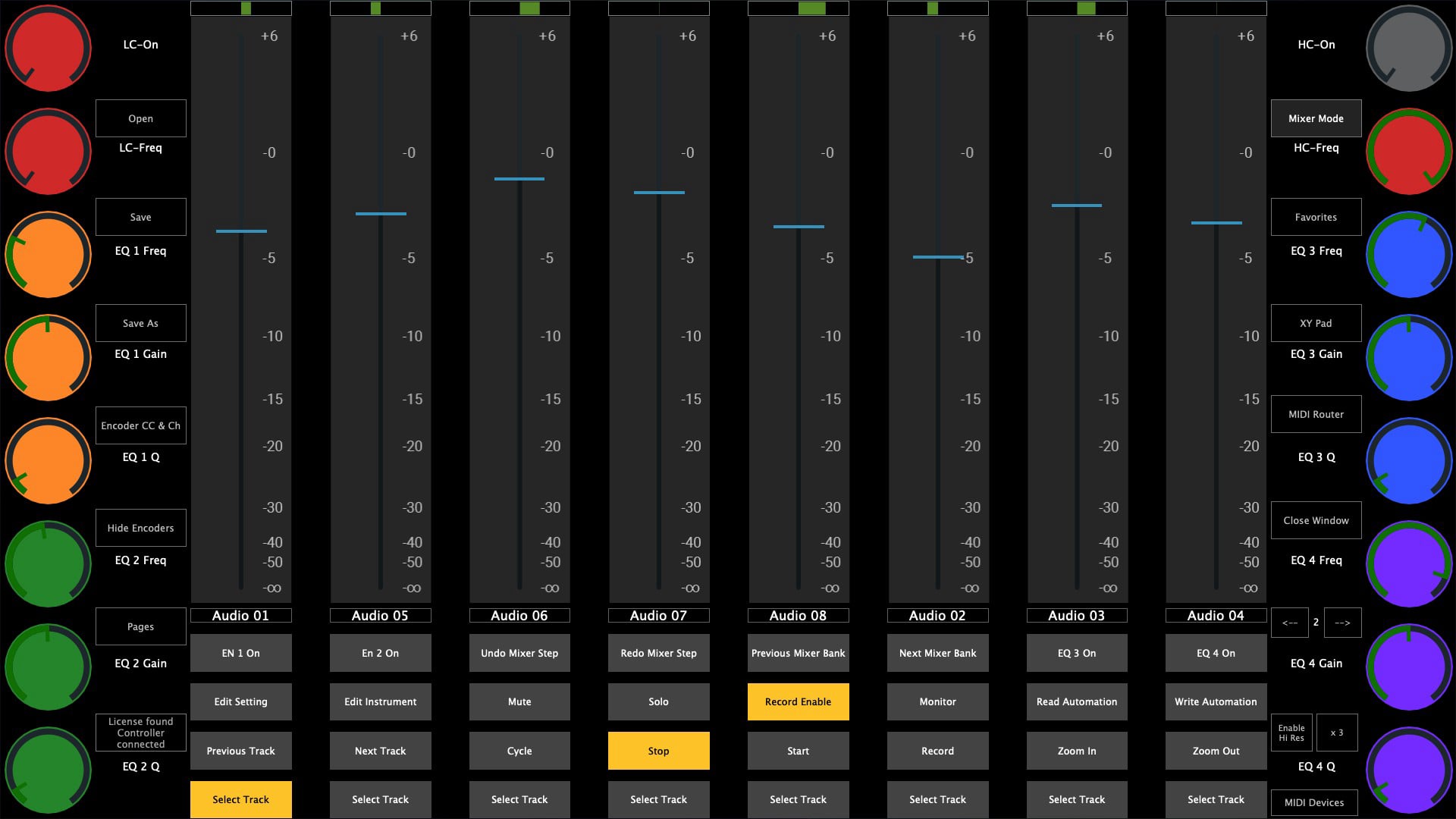
Plugin control is the headline, but the MP Controller also gives you hands-on level control in Pro Tools. The MP Gain Utility (MPGU) plugin lets you control plus and minus gain on your tracks straight from the controller, across up to 128 gain-utility instances. Use it for mixing and for proper gain staging through your signal chain. Like everything else, it works on all DAWs including Pro Tools, and it needs no configuration. Gain staging done right makes every plugin downstream behave, and the MP Controller is built to help you do it by hand.
A fully flexible, assignable MIDI controller
Beyond plugins, the MP Controller is a complete, configurable MIDI controller, as detailed on the MIDI controller page. In Pro Tools and beyond you can:
- Assign 1024 encoders and 1024 buttons across 16 MIDI channels and 32 pages, each one renamed and color-coded to taste.
- Send and receive CC and NRPN, and play MIDI notes from the touchscreen.
- Use the Joker encoder: click any on-screen slider, fader or knob and control it instantly with a physical encoder, with no mapping or linking required.
- Fire keyboard macros to any application on Mac or Windows from the touch buttons, for shortcuts and key commands.
- Drive an XY pad and route MIDI to any connected device, saving routings and layouts as presets.
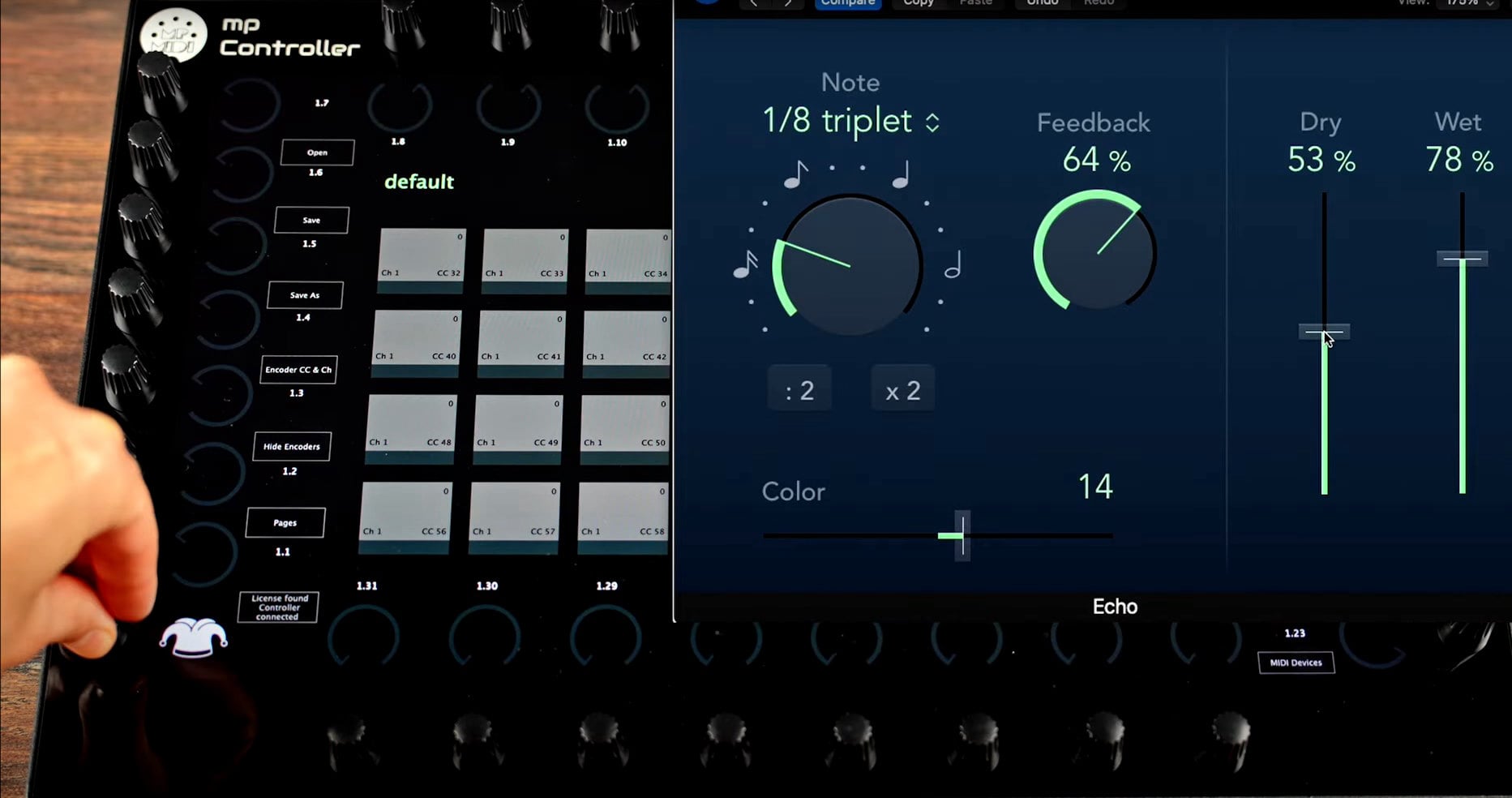
It runs as a standalone app and as VST3, AU and AAX, so it is at home inside a Pro Tools session or alongside it.
How to set up the MP Controller in Pro Tools
Four steps to plugin control
- Install the MP Host plugin and the MP MIDI app, then connect the controller over USB-C.
- In Pro Tools, instantiate the MP Host plugin (AAX) as an insert on an audio or instrument track.
- Inside MP Host, load the VST3, AU or VST2 plugin you want to control.
- The controller auto-maps that plugin's parameters across the 32 encoders and the touchscreen. Adjust by touch, encoder or MIDI CC.
Because Pro Tools is an AAX-only host, your third-party VST and AU plugins run inside MP Host rather than as native Pro Tools inserts. For mixing, add the MP Gain Utility on the tracks you want to ride. If a parameter does not respond, confirm the MP MIDI app's MIDI ports are enabled.
Frequently asked questions
Does the MP MIDI Controller work with Pro Tools?
Yes. Since Pro Tools loads AAX plugins only, you instantiate the MP Host plugin in its AAX format on a track and host your VST3, AU or VST2 plugins inside it. The controller then auto-maps every parameter across 32 encoders and the 15.6-inch touchscreen, so you control your plugins by hand, exactly as on every other DAW.
Why is the MP Controller the best plugin controller for Pro Tools?
It maps any plugin automatically, with no manual MIDI assignment, and shows the plugin on a 15.6-inch touchscreen with 32 endless encoders. That is up to 512 parameters per plugin, instant parameter search, instant plugin switching, total recall and bidirectional sync. No fader surface or MIDI keyboard reaches plugins that deeply.
Can I mix and gain stage in Pro Tools with the MP Controller?
Yes. The MP Gain Utility plugin lets you control plus and minus gain on your tracks straight from the controller, across up to 128 instances, for hands-on mixing and gain staging. It works on all DAWs including Pro Tools and needs no configuration.
Can I use it as a general MIDI controller as well?
Yes. The MP Controller is also a fully assignable MIDI controller: 1024 assignable encoders and 1024 assignable buttons across 16 MIDI channels, sending and receiving CC and NRPN, playing notes, an XY pad, the Joker encoder for instant click-and-control, and keyboard macros to any app on Mac or Windows. It runs as a standalone app and as VST3, AU and AAX.
Bottom line
For Pro Tools producers, the MP Controller is the plugin controller that finally gets your plugins off the mouse and under your hands: it loads through the MP Host plugin in AAX, auto-maps any hosted VST3, AU or VST2 plugin across 32 encoders and a 15.6-inch touchscreen, adds gain staging and mixing through the MP Gain Utility, and doubles as a fully assignable MIDI controller, all for EUR 780 with a perpetual license.
See pricing and order the MP Controller Technical specificationsTopics: pro tools control surface pro tools plugin controller pro tools midi controller control surface for pro tools best midi controller pro tools pro tools plugin control automatic plugin mapping midi controller for mixing gain staging pro tools AAX plugin host touchscreen plugin controller VST AU controller pro tools